DCTB Result 2026 – Check Driving Test Result Online
Check DCTB Result 2026 online through the BRTA service portal. Learn how to find your driving test result using your exam details and security code.
DCTB Result 2026 – Overview
Particular | Details |
|---|---|
Result | DCTB/DCTC Driving Test Result 2026 |
Authority | Bangladesh Road Transport Authority (BRTA) |
Result Mode | Online |
Exam | Driving Test |
Required Information | Exam Type, Branch, Venue & Date |
Security | Security Code/Captcha |
Result Details | Roll No., Learner No., Name, Vehicle Class & Result |
Official Result Portal | BRTA BSP |
What Is DCTB Result 2026?
How to Check DCTB Result 2026
Step 1: Visit the Official BRTA Result Website
Step 2: Select Exam Type
Step 3: Select Your Branch
Step 4: Select Examination Venue
Step 5: Enter the Examination Date
Step 6: Enter the Security Code
Step 7: Click View
DCTB Result 2026 – Details Available
DCTB Driving Test Result 2026 – Quick Process
What If DCTB Result Is Not Showing?
Check the Examination Date
Select the Correct Branch
Select the Correct Venue
Check the Security Code
Try Again
DCTB Result 2026 – Pass or Fail
Can I Check DCTB Result Using Learner Number?
DCTB Result 2026 – Official Website
What Happens After the Driving Test Result?
DCTB Result 2026 – Frequently Asked Questions
What is DCTB Result 2026?
How can I check my DCTB result?
What information is required?
What information appears in the result?
Is DCTB Result available online?
What should I do if my result is not found?
Final Words
Frequently asked questions
What Is DCTB Result 2026?
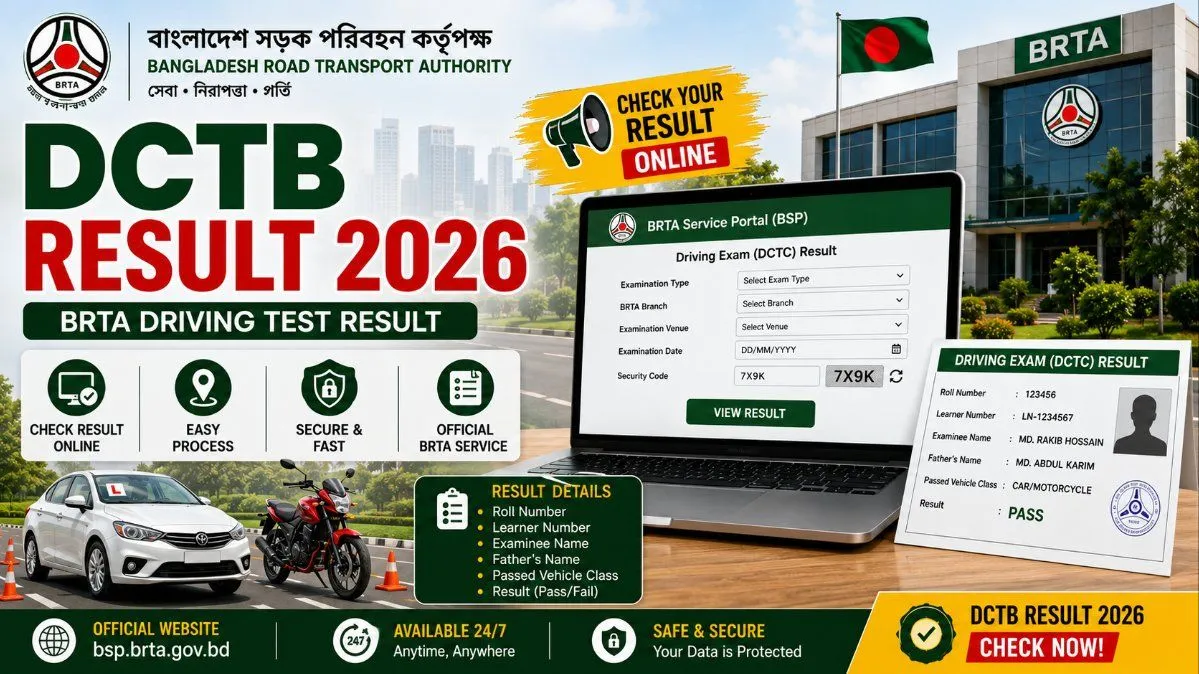
The term **DCTB Result** is commonly used when searching for the BRTA driving-test result. However, the official BRTA portal identifies the service as **DCTC – Driving Exam Result**. The online result system enables candidates to find their driving examination result by providing information about the examination and test location. After submitting the required information and security code, the system displays the available result.
What If DCTB Result Is Not Showing?
Sometimes a result may not immediately appear after submitting the details. If you cannot find your result, check the following:
Can I Check DCTB Result Using Learner Number?
The official result interface displays the learner number as part of the result information. However, the search form currently requires candidates to select the **exam type, branch, exam venue and date**, along with the security code. Therefore, candidates should keep their examination details available when checking the result.
What Happens After the Driving Test Result?
Candidates who successfully pass the required driving examination can continue with the next stage of the BRTA driving-licence process according to the applicable rules. The exact next step can depend on the type of licence and the candidate's application. Candidates should follow the instructions provided by BRTA rather than relying on unofficial information.
What is DCTB Result 2026?
DCTB Result refers to the driving-test result available through BRTA's online service system. The official portal labels the service **Driving Exam (DCTC) Result**.
How can I check my DCTB result?
Visit the official BRTA DCTC result page, select your exam type, branch and venue, enter the examination date and security code, and click **View**.
What information is required?
You need to select the examination type, branch and venue, enter the examination date and provide the displayed security code.
What information appears in the result?
The result page can show the roll number, learner number, examinee name, father's name, passed vehicle class and result.
Is DCTB Result available online?
Yes. BRTA provides an online driving-examination result system through its BSP portal.
What should I do if my result is not found?
Check the examination date, branch, venue and security code and try again. If the result still does not appear, candidates should contact BRTA through its official support channels.
Comments
Join the conversation
A short response is enough. We’ll review it before it appears on the site.