Skip to content
EduHubAdda

SPPU TE Result 2026 Out (Direct Link): Check Pune University 3rd Year Engineering Scores
Priyanka PatelResults

SPPU TE Result 2026 Out:Direct Link for 3rd Year Engineering

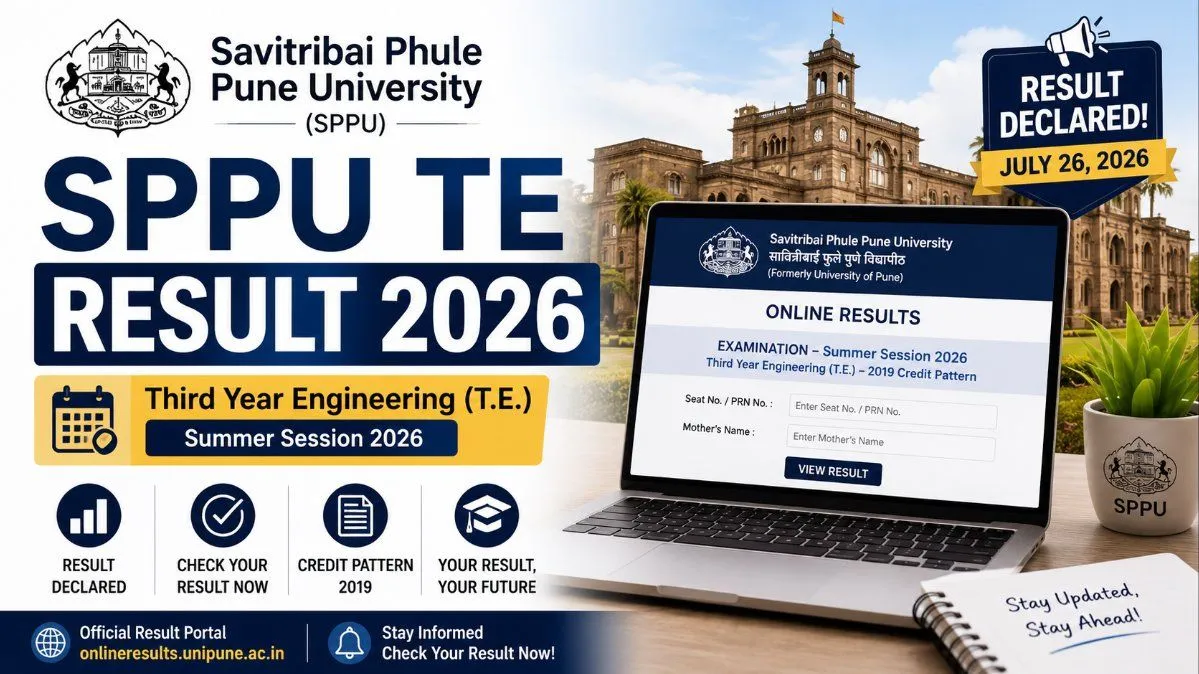
The wait is over for Pune University engineering students! SPPU has officially declared the Third Year (T.E.) 2019 Pattern results for the Summer Session 2026. Click here to get the direct download link, calculate your SGPA, and find out what to do if you got an ATKT.

The wait is finally over for thousands of engineering students! Savitribai Phule Pune University (SPPU) has officially announced the highly anticipated SPPU TE Result 2026 for the Summer Session examinations. If you are a student enrolled in the Third Year Engineering (T.E.) program under the 2019 Credit Pattern, your scores are now live and available for viewing.
The university officially activated the result portal on July 26, 2026. Students can now download their provisional mark sheets directly from the official SPPU online results dashboard. Because the T.E. exams serve as a crucial stepping stone before entering the final year (B.E.), this result is one of the most important milestones in a Pune University engineering student's academic journey.
In this comprehensive guide, we will cover everything you need to know about accessing your SPPU Engineering results, understanding the credit-based grading system, applying for revaluation, and what your next steps should be as you prepare for your final year.

SPPU T.E Result 2026: Quick Overview

When it comes to university updates, having the most critical information at a glance is always helpful. Here is a quick summary of the recent result declaration:

SPPU TE Result 2026 Overview

Detail
Information
University Name
Savitribai Phule Pune University (SPPU)
Course Name
Third Year Engineering (T.E.)
Academic Pattern
2019 Credit Pattern
Examination Session
Summer Session 2026
Result Declaration Date
July 26, 2026
Result Status
Declared / Active
Official Result Portal
Step-by-Step Guide: How to Check SPPU TE Result 2026 Online
SPPU releases its results entirely online to ensure transparency and immediate access for all affiliated colleges. Follow these simple, step-by-step instructions to view and download your Pune University T.E. marksheet without any hassle:
  1. Visit the Official SPPU Portal: Open your web browser and go directly to the official SPPU result dashboard at onlineresults.unipune.ac.in.
  1. Select Your Exam Session: On the homepage, you will see a list of active result links. Look for the section dedicated to the Summer Session 2026.
  1. Locate Your Specific Course: Scroll through the list of declared results and click on the specific link titled "T.E. (2019 Credit Pattern)". Make sure you do not accidentally click on the 2015 pattern or a different branch's link.
  1. Enter Your Login Credentials: You will be redirected to a login page. Input your exact Seat Number. In the second box, enter your Mother's Name exactly as it was printed on your exam hall ticket (admit card). If the portal asks for your PRN (Permanent Registration Number) instead, provide that.
  1. View and Download: Click the "Check Result" or "Submit" button. Your provisional marksheet will appear on the screen.
  1. Save for Future Reference: Always click the download icon to save the scorecard as a PDF on your device. It is highly recommended that you print a hard copy for your personal academic file until your college issues the original physical marksheet.
Troubleshooting Tip: SPPU hosts hundreds of affiliated colleges, meaning thousands of students will be trying to access the portal at the same time. If you encounter a "502 Bad Gateway" error or the website times out, do not panic. The servers are simply overloaded. Wait 15 to 30 minutes and try again, preferably during off-peak hours like late evening or early morning.

Understanding Your SPPU Marksheet and Grading System

Once you have your marksheet in front of you, it is vital to verify that all the information is accurate.
Verify These Details Immediately:
Your Full Legal Name
Seat Number and PRN
Your College Name and unique College Code
Subject-wise breakdown of Internal (In-Sem) and External (End-Sem) marks
Total earned credits, SGPA (Semester Grade Point Average), and CGPA (Cumulative Grade Point Average)
Overall Result Status (Pass / Fail / ATKT)

The SPPU 2019 Credit Pattern Grading Scale

SPPU uses a strict credit-based grading system. If you are trying to calculate how your marks translate to your final SGPA, you can refer to the official grade point scale below. To pass a subject, you generally need to secure a minimum of 40% combined, though you must meet individual passing criteria for both In-Sem and End-Sem exams.

SPPU Grading System 2026

Marks Range (%)
Letter Grade
Grade Points
Description
80–100
O
10
Outstanding
70–79
A+
9
Excellent
60–69
A
8
Very Good
55–59
B+
7
Good
50–54
B
6
Above Average
45–49
C
5
Average
40–44
P
4
Pass
0–39
F
0
Fail

What is ATKT? Allowed To Keep Terms

If your overall result status displays ATKT, there is no need to be discouraged. ATKT stands for "Allowed To Keep Terms." This status indicates that while you have not successfully cleared one or more subjects in the T.E. examinations, you are still legally permitted by the university to progress to the next academic yearβ€”in this case, your Final Year (B.E.).
However, you carry these failed subjects as "backlogs." You will be required to fill out a backlog examination form and clear these specific subjects during the upcoming Winter Session exams. Keep in mind that university rules stipulate you cannot receive your final B.E. degree certificate until all previous semester backlogs are officially cleared.

How to Apply for SPPU Revaluation and Photocopy

Are you completely unsatisfied with your marks? Do you feel that your hard work during the End-Sem exams was not accurately reflected in your final grade? SPPU offers a transparent revaluation process for students who wish to challenge their scores.
  1. Step 1: Apply for a Photocopy: Before you can apply for revaluation, you must first apply for a photocopy of your assessed answer booklet. The university usually opens the window for this within 3 to 5 days of declaring the results. You will need to apply online through your college's examination section and pay a nominal fee (usually around INR 200–300 per subject).
  1. Step 2: Review Your Answer Sheet: Once you receive the digital photocopy of your answer sheet, review it thoroughly. You can even consult your subject professors to verify if any answers were unjustly marked wrong or if there were totalling errors.
  1. Step 3: Submit for Revaluation: If you and your professor believe you deserve more marks, you can then fill out the official revaluation form and pay the revaluation fee (typically between INR 500–1000 per subject).
The revised results from the revaluation process generally take about 3 to 4 weeks to be published.

Next Steps: Preparing for Final Year B.E.

Clearing your T.E. exams is a massive relief, but the journey isn't over. As you step into your final year, your focus needs to shift toward two major goals: your Final Year Project and Campus Placements.
Final Year Project: Start brainstorming project ideas immediately. Whether you are building a multimodal machine learning model, developing civil infrastructure plans, or designing mechanical components, getting a head start on your project pipeline will save you immense stress next semester.
Placements: Companies will start visiting campuses soon. Brush up on your core technical concepts, practice your aptitude tests, and ensure your resume is up-to-date with the skills you've acquired over the last three years.

Frequently Asked Questions FAQs

Q1. When exactly was the SPPU TE Summer Session 2026 result announced?
The Savitribai Phule Pune University officially declared the T.E. (2019 Pattern) result for the Summer Session on July 26, 2026.
Q2. What is the direct link to check the Pune University 3rd-year engineering result?
Students can check their results directly by visiting onlineresults.unipune.ac.in and navigating to the Summer Session 2026 dashboard to find the T.E. link.
Q3. Why is my result not opening on the SPPU website, or why am I getting a blank screen?
Because thousands of engineering students from hundreds of colleges are checking their results simultaneously, the SPPU servers frequently experience heavy traffic spikes. If the page doesn't load or throws an error, simply try refreshing after 20 minutes or check during off-peak hours like late at night.
Q4. Can I apply for revaluation for the SPPU TE Result if I failed a subject by just 2 marks? Absolutely. If you failed by a small margin, it is highly recommended that you apply for a photocopy of your answer sheet and subsequently apply for revaluation. The application dates will be notified by your college's exam department very soon.
Q5. Will my college provide a physical copy of this result?
Yes. The result you download online is a provisional scorecard meant for immediate reference. Your college will distribute the official, stamped hardcopy marksheets from the university within a few weeks of the online declaration.

Frequently asked questions

  • Q1. When exactly was the SPPU TE Summer Session 2026 result announced?

    The Savitribai Phule Pune University officially declared the T.E. (2019 Pattern) result for the Summer Session on July 26, 2026.

  • Q2. What is the direct link to check the Pune University 3rd-year engineering result?

    Students can check their results directly by visiting onlineresults.unipune.ac.in and navigating to the Summer Session 2026 dashboard to find the T.E. link.

  • Q3. Why is my result not opening on the SPPU website, or why am I getting a blank screen?

    Because thousands of engineering students from hundreds of colleges are checking their results simultaneously, the SPPU servers frequently experience heavy traffic spikes. If the page doesn't load or throws an error, simply try refreshing after 20 minutes or check during off-peak hours like late at night.

  • Q4. Can I apply for revaluation for the SPPU TE Result if I failed a subject by just 2 marks?

    Absolutely. If you failed by a small margin, it is highly recommended that you apply for a photocopy of your answer sheet and subsequently apply for revaluation. The application dates will be notified by your college's exam department very soon.

  • Q5. Will my college provide a physical copy of this result?

    Yes. The result you download online is a provisional scorecard meant for immediate reference. Your college will distribute the official, stamped hardcopy marksheets from the university within a few weeks of the online declaration.

Comments

The thread is quiet
If something in the piece stuck with you, leave the first note below.

Join the conversation

A short response is enough. We’ll review it before it appears on the site.
Kept for moderation. Email stays private.